Explore Ireland from space
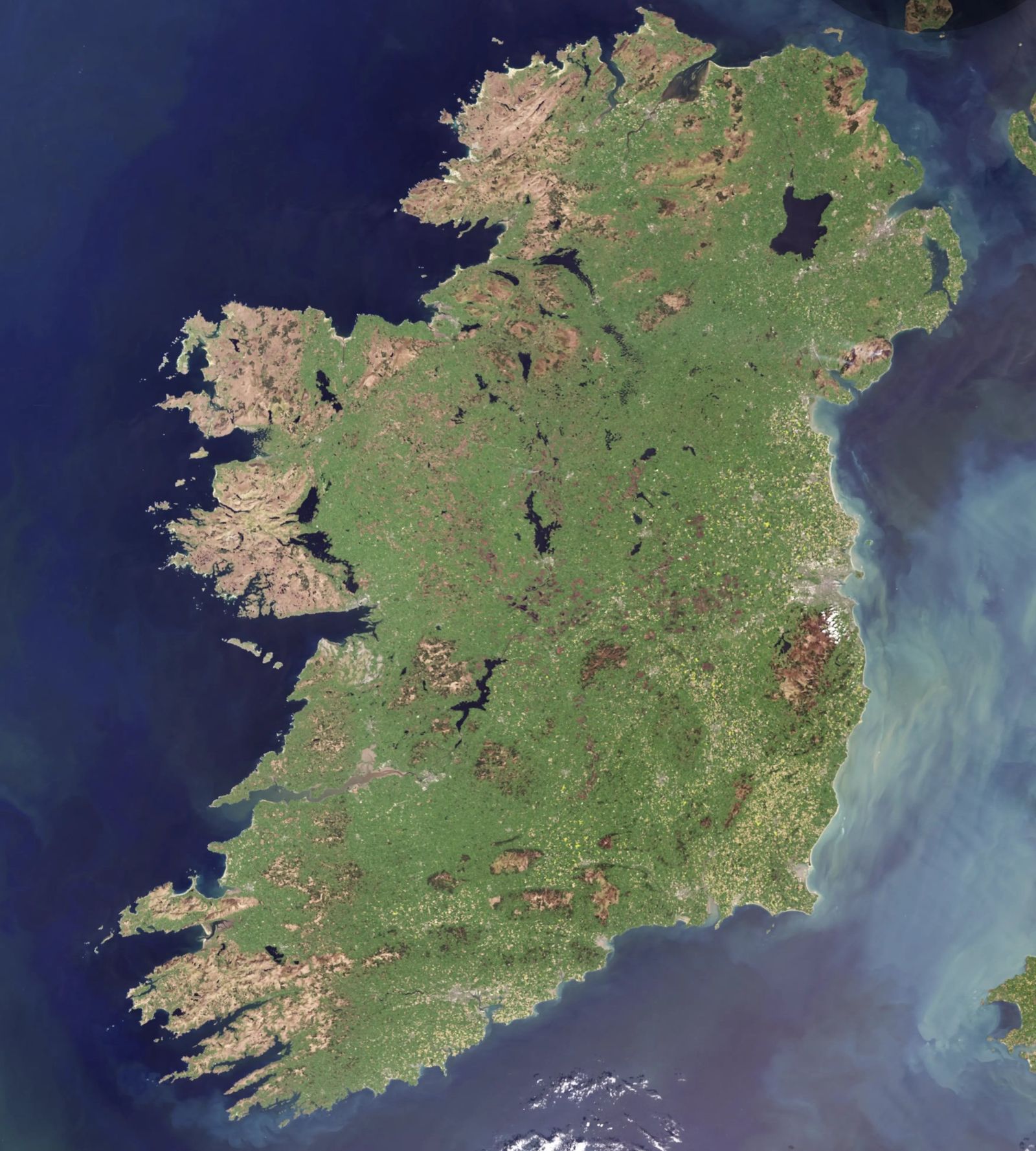
The Copernicus Browser shows every Sentinel image taken over Ireland, free, in your web browser. Pick a date, filter out cloud, switch between true colour, vegetation, moisture and radar layers, and compare dates side by side.
Live map from the Copernicus Data Space Ecosystem. If it does not load here, open the Browser in a new tab.
Open the live map
The Copernicus Browser opens in a new tab, centred on the island of Ireland with Sentinel-2 true colour and cloud cover under 30%.
Launch Copernicus BrowserIrish views to try
Each link opens the Copernicus Browser on Sentinel-2 true colour over that place. Choose a date from the calendar to load the latest clear image.
Island of Ireland
All 32 counties in one Sentinel-2 view. Set cloud cover low and pick a clear spring or summer date.
53.41°N 7.94°W · Z7EmergencyRiver Shannon: Athlone to Banagher
The callows and floodplain mapped by CEMS after Storm Claudia. Compare winter and summer dates.
53.30°N 8.02°W · Z10MarineWexford Harbour & the Slobs
Sediment, sandbanks and the Raven Point spit. This month’s image of the month.
52.35°N 6.42°W · Z12MarineCork Harbour
The Lee, Lough Mahon and one of the world’s largest natural harbours.
51.86°N 8.30°W · Z11ClimateDublin Bay & city
Urban growth, the port and the Bull Island lagoon.
53.34°N 6.20°W · Z11ClimateBog of Allen, Midlands
Cut-over peatland under rehabilitation. Try the false-colour or moisture layers.
53.28°N 7.00°W · Z10LandGolden Vale, Tipperary–Limerick
Intensive grassland. Try the NDVI layer through the growing season.
52.50°N 8.20°W · Z10MarineDonegal & Lough Swilly
Atlantic coast, blanket bog and upland in the north-west.
55.05°N 7.70°W · Z10Five steps to your first image
Zoom to your area
Pan and zoom, or search a place name. Views open on Ireland.
Choose a mission
Sentinel-2 L2A for optical, Sentinel-1 for radar through cloud, Sentinel-3 for national and ocean views.
Find a clear day
Lower the cloud-cover slider and pick a date from the calendar. Irish skies make this step matter.
Pick a visualisation
True colour, false colour, NDVI, moisture index or SWIR for burn scars.
Compare and export
Use compare or timelapse, then download an image. Sign in free for full exports.
Images are from the Copernicus Data Space Ecosystem. When you reuse them, credit “Contains modified Copernicus Sentinel data [year]”. A free CDSE account unlocks downloads, timelapses and higher-resolution exports.